All solutions

Indoor tours for museums, galleries and zoos

Create audio guides for your exhibition

A QR code or exhibit number opens the story behind a piece. Visitors can listen or read along on their phones. Play the audio sample below from the fictional Harbor House exhibition.

  • Opens in the browser
  • Multilingual narration
  • Your own floor plans

A visit, from the entrance to the exhibit

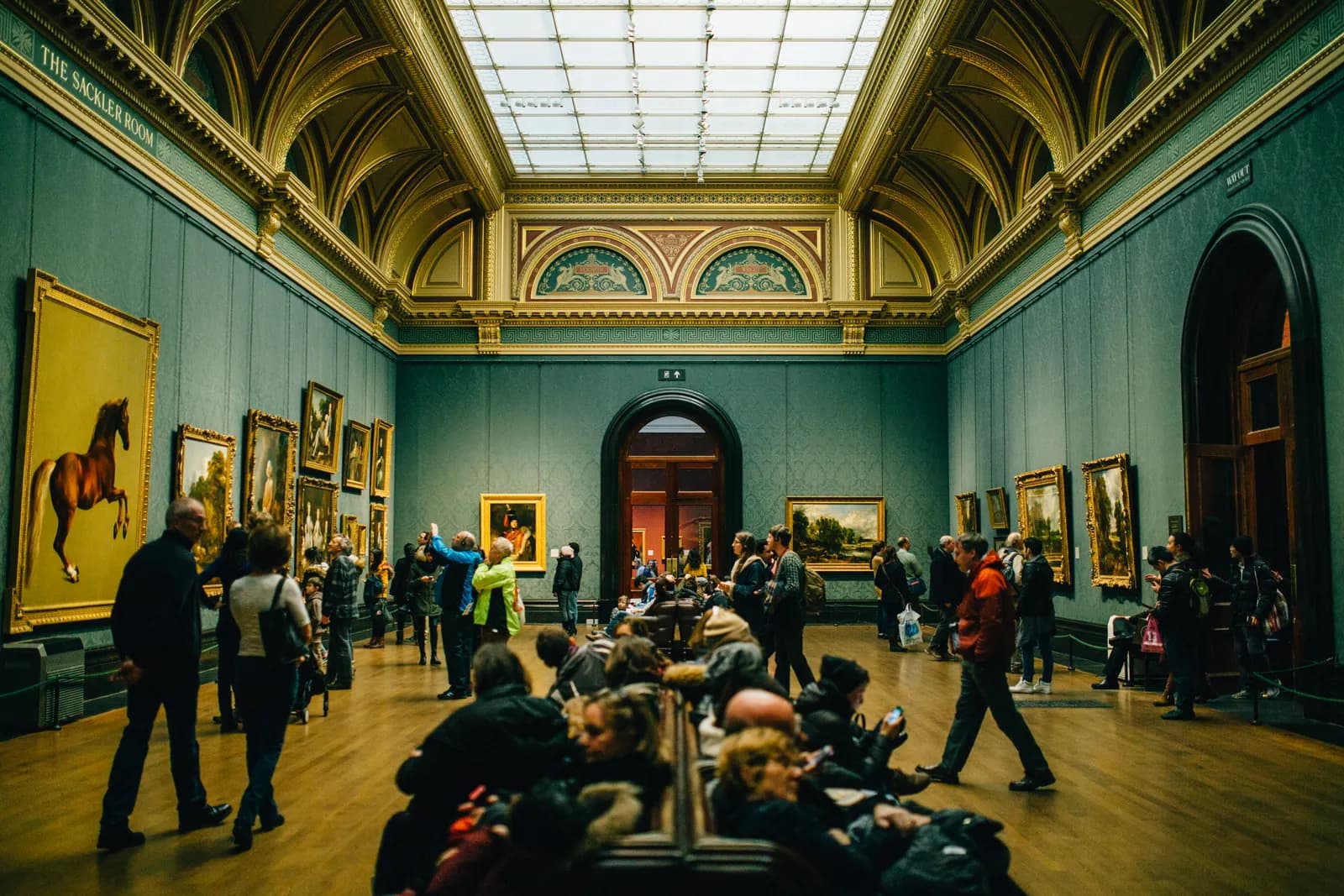
One QR code at the entrance can open the whole guide. From there, visitors choose an exhibition and spend their time on the objects that catch their eye.

  1. Finding a stop

    Find the piece right in front of you

  2. At the exhibit

    Tell the short story first

  3. Design editor

    A guide that looks like your venue

  4. A guide in use

    Inside Hamburg’s Panoptikum

Finding a stop

Find the piece right in front of you

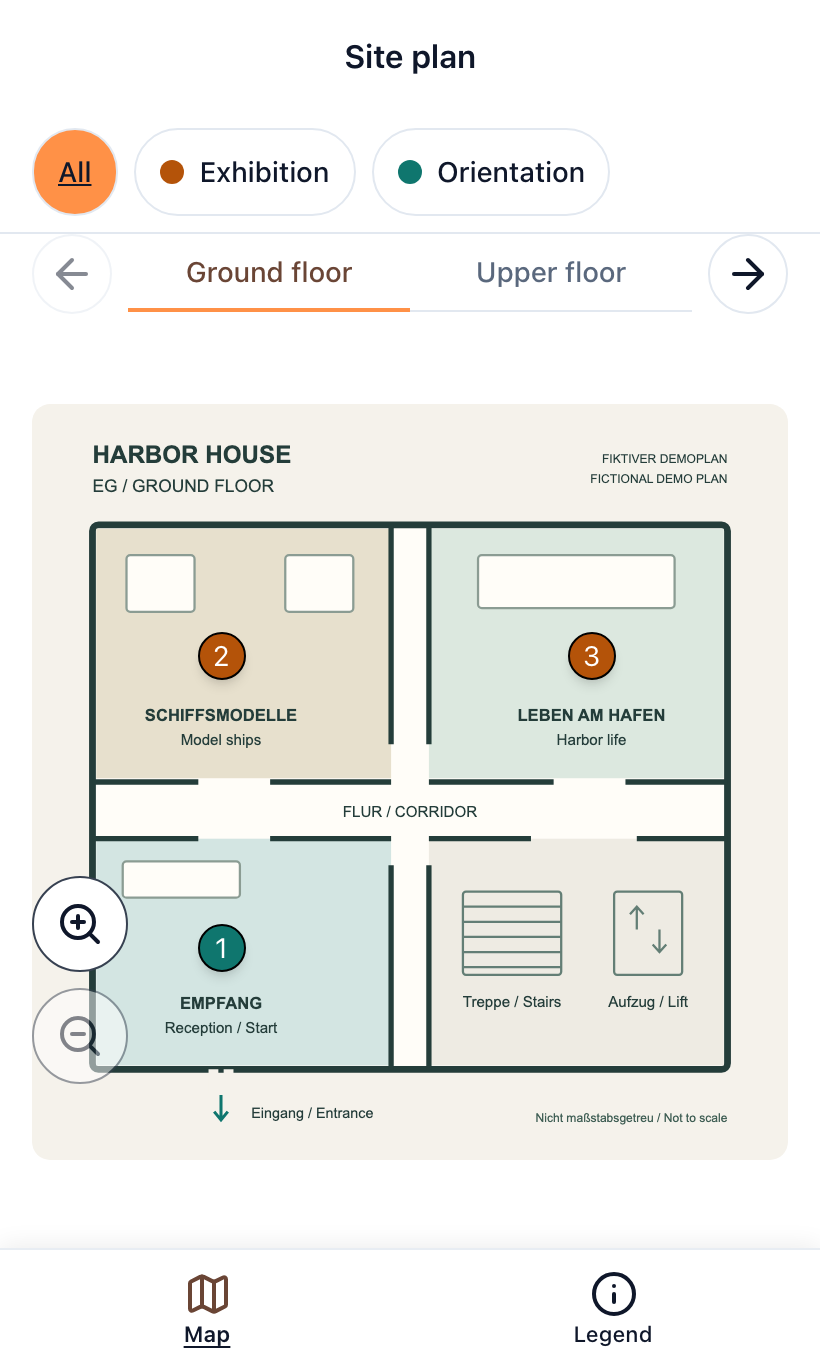
Upload your floor plan and pin each stop where it belongs. Visitors can tap a pin, browse the exhibition by name or look up the number beside an object.

  • With the exhibit scanner, visitors take a photo. AI compares it with images from the tour, opens a close match or offers likely matches to choose from.
  • Prefer printed labels? An exhibit’s QR code takes visitors straight to that stop.
Floor plan of the Harbor House exhibition with numbered stops

At the exhibit

Tell the short story first

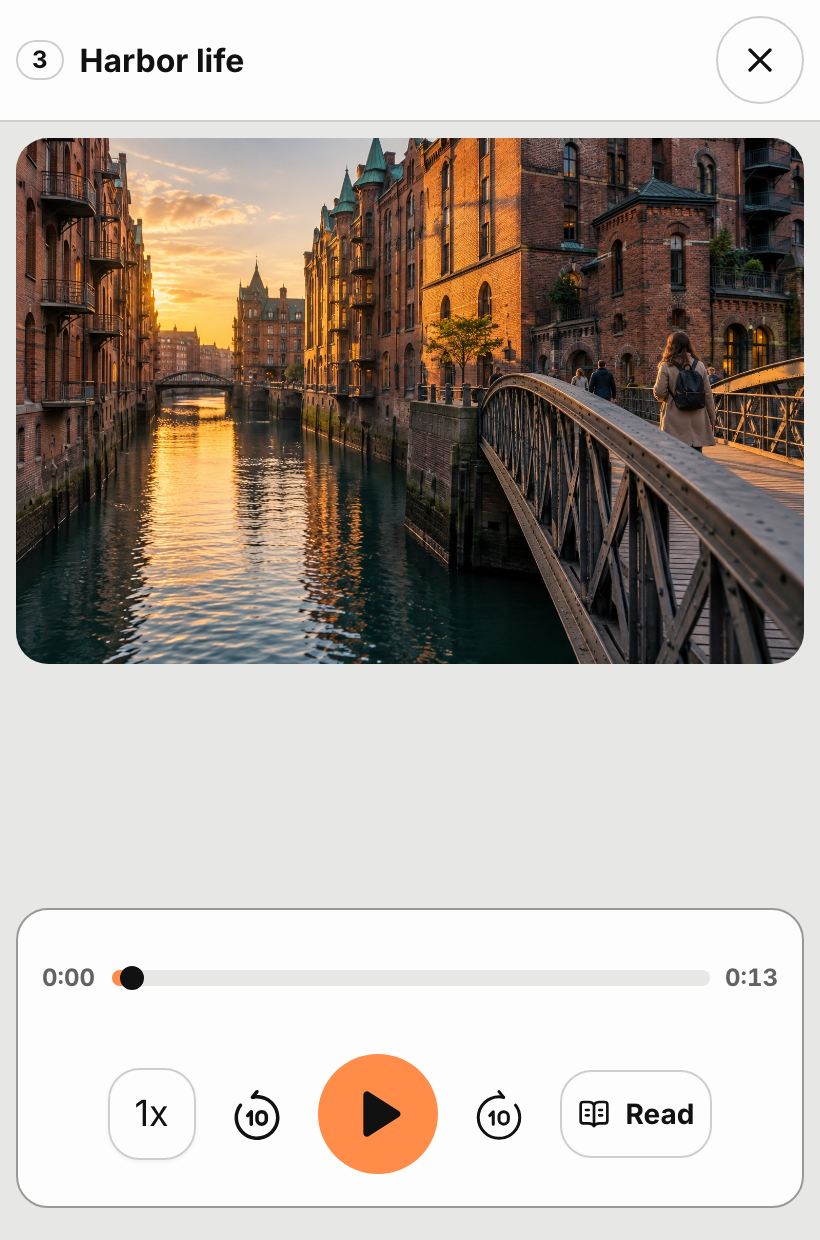
A visitor can press play and keep looking at the object while they listen. Someone who wants to know more can open an extra story, while the rest of the group moves on.

  • Upload a recording in a curator’s own voice, or choose a voice to narrate your script. Preview each language before the guide goes live.
  • Use the main stop for the essentials. Add a sketch, a close-up or a longer account of the restoration as optional content.

Listen to the Harbor House exhibit in English

Read the transcript

A harbor connects logistics, crafts, navigation, and trade. This exhibition shows how goods move from ships to shore and how warehouses and transport routes support that journey.

A stop in the Harbor House indoor guide with its audio player

Design editor

A guide that looks like your venue

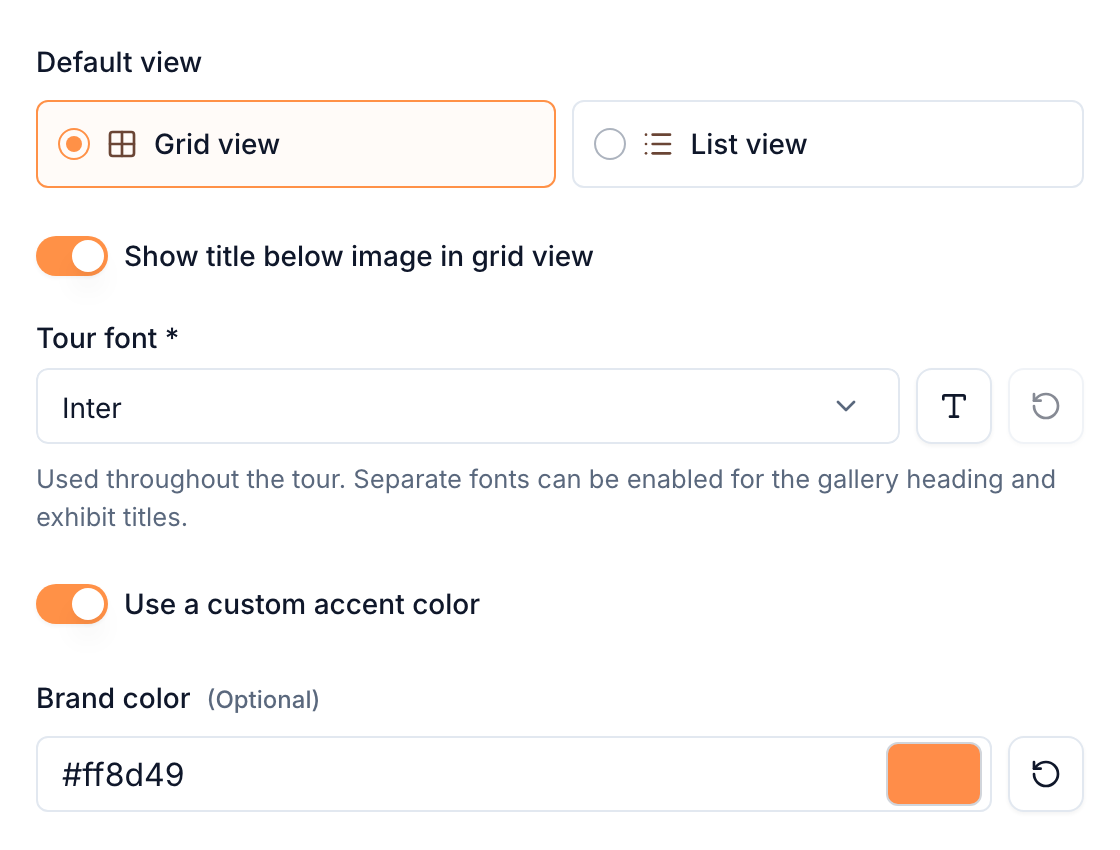
Choose a layout, typefaces and colours to match your exhibition graphics. Adjust how images are cropped and where names and exhibit numbers appear.

Indoor tour editor showing the grid and list layouts, the font selector and the accent colour.

A guide in use

Inside Hamburg’s Panoptikum

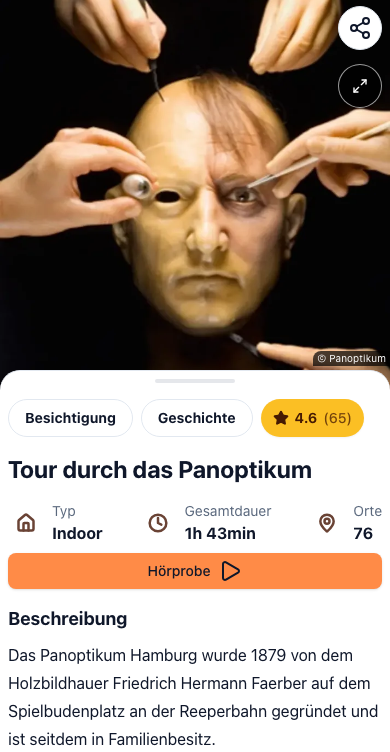
At the Panoptikum wax museum in Hamburg, visitors can open the museum’s Scoutello guide on their phones. Its introduction tells how a woodcarver founded the museum in 1879, and the tour takes visitors through the figures on display.

Open the museum’s tour and play the audio sample to hear how the visit begins. Open the Panoptikum tour

The Panoptikum’s German tour overview, with a photograph of a wax figure in the workshop

What your team can add to a visit

A reason to look again

Add a quiz at a stop. In a gallery, ask which detail reveals the sitter’s profession. In a zoo’s bird house, ask which beak is best suited to cracking seeds.

Questions for the AI assistant

Visitors can ask a follow-up while a piece is still in front of them. A question like “Why is this sketch unfinished?” gives them a way into the story beyond the audio track.

Your material behind the answers

Give the assistant your exhibition notes, reference documents and instructions on how to answer. The education team can add background for questions that come up on guided visits.

Tour feedback and insights

Review tour activity and visitor feedback to understand how an experience is being used.

Several exhibitions in one guide

Give each exhibition a cover and its own selection of stops. A piece can appear in both the permanent collection and a temporary show, with one entry for staff to maintain.

A place in your visitor information

Link to the guide from your visit planner or booking email, put the entrance QR beside the ticket desk, and use a separate link for a special exhibition.

These organizations use Scoutello

Alster Touristik
Elbmeile
Hamburg Tourismus
Hamburg Pride
Hansemerkur
Leonardo
NYX
Panoptikum
Skål Deutschland
Stadtmanufaktur

How much does Scoutello cost?

Paid Guides can be sold with no monthly base fee. The calculator shows the cost of the selected modules, usage, and additional services.

The most expensive subscription module at full price; 20% off additional modules.All prices exclude VAT.
01

A good place to start

Choose an example or create a combination from scratch.

Included for free

A shared foundation for modules.

Get started for free with paid Guides and a basic CRM. Modules add permissions, import and export, documents, basic analytics, the corresponding web experience, and standard product support. Storage is not charged separately.

  • Create and sell paid Guides with no base fee
  • Basic CRM for contact management
  • 3 team seats
  • 500 stored contacts
  • 1 Custom domain

Shared allowances apply once per organization, not per module. Team seats include administrator access.

Adjust team seats

The first 7 additional team seats cost €6.00 per month each, and each additional seat costs €4.00 per month.

02

The right modules

Modules are optional. Paid Guides can also be created and sold without a subscription.

  • Unlimited guest Web-Apps with pages and maps
  • FAQs, recommendations, and forms
  • Activities and offers
  • Create Guides with stops and routes
  • Multilingual content and uploaded audio files
  • Browser player and analytics
  • 30 minutes for the real-time voice agent included per month
  • Registration, invitations, and check-in
  • Ticket sales and attendee management
  • Event Web-App with schedule and maps
  • Keep track of contacts and interaction history
  • Track sales opportunities and next steps
  • Share tasks and documents across the team
  • Signup forms and audience segments
  • Create and send campaigns
  • Track unsubscribes and delivery
  • Create invoices and track payments
  • Adjustments and payment reminders
  • Add recurring billing contracts
  • Plan projects and milestones
  • Assign tasks and responsibilities
  • Track progress and documents
  • Plan and schedule posts
  • Track publications across connected channels
03

Room for actual usage

Active guests, Guide activations, invitations, newsletter emails, and issued invoices have monthly allowances—even with annual billing.

Guides

€99.00 / month

One person per Guide per calendar month; repeats and language changes count once. Activations across all Guides are added to a shared organization allowance.

Indicative rates and larger packages
Guides · Indicative rates and larger packages
AllowanceMonthly
1,000 Guide activations per month€49.00
5,000 Guide activations per month€99.00
20,000 Guide activations per month€179.00
50,000 Guide activations per month€249.00
+10,000 Guide activations per month+€30.00
Operational emails included per month1,000

Optional add-ons and usage fees

More options when needed.

Recurring add-ons

€5.00 per additional 1,000 stored contacts per month. Newsletter emails are counted separately.

€5.00 per additional domain per month.

Credits and usage estimates

€5.00 per 10,000 prepaid emails with no expiration. Newsletter delivery is counted separately.

€1.20 per 30 prepaid minutes with no expiration. Guides is required to use these credits; 30 minutes are included each month.

Package and annual discounts do not apply to these purchases. Organization discounts are applied when available.

Onboarding

€199.00 for up to 2 setup hours.

Package and annual discounts do not apply to these purchases. Organization discounts are applied when available.

Product support

Product support

Support hours: weekdays (Monday to Friday), 09:00–20:00 Berlin time. Response time runs only during these hours; outside them, it pauses and resumes on the next business day. Response time means the time until the first reply, not until the issue is fully resolved.

Review configuration

Configuration

€99.00/ month

Monthly

All prices exclude VAT.

Guides5,000 Guide activations per month€99.00
Product supportEmail · Response within 24 support hoursIncluded
Recurring total€99.00/ month

The most expensive subscription module at full price; 20% off additional modules.

10% discount on the annual subscription after the bundle discount

Frequently asked questions

Does every exhibit need its own QR code?

One entrance code can open the whole guide. Inside, visitors can use the floor plan, search by name or number, or photograph an exhibit with the scanner. Individual QR codes are useful when a label should open one particular stop.

Can we use recordings we already have?

Yes. Add a recording to the relevant stop and preview it alongside the photos and text. For a new track, the team can also choose a voice to narrate a script.

Where does the AI assistant get its information?

The exhibition team supplies the tour content and can add reference documents and instructions. For example, a curator can add restoration notes so the assistant has more to draw on when someone asks about a painting.

How does the guide fit with ticketing?

Admission stays with the venue. Staff can point visitors to the guide after checking their tickets, or include the link in the venue’s existing visitor information.

Can we start with just one room?

Yes. Publish a small selection of stops first. When the next room is ready, add its objects, audio and floor-plan pins to the same guide.

How would this work in a zoo or aquarium?

A tropical house can have a stop at each habitat. Visitors might listen to a keeper’s account, open a species profile or answer a quiz while watching the animals. The floor plan helps them find the next enclosure.

Request a demo